


Freeze-dried fruit to a stocked pantry: 2026 subscription workflow
Editorial Team
Instead of manually checking the snack cupboard every school morning, set up a freeze dried fruit subscription planning routine that connects what your family eats with a regular pantry check. Start with a reminder-based reorder system; use recurring deliveries only after confirming the seller’s current subscription terms.
TL;DR
- Build a freeze dried fruit subscription routine around actual lunchbox use, not an assumed delivery schedule.
- Naturesturn freeze-dried fruit snacks suit parents seeking 100% fruit options with no added sugar.
- Count bags by flavor before reordering; untouched flavors do not solve a favorite-flavor shortage.
- Confirm recurring-order terms directly before treating any purchase as a subscription.
Why this matters
A stocked pantry is useful only when it contains snacks your children will eat. A mixed box can look full while the favorite flavor has already disappeared.
Naturesturn freeze-dried fruit snacks are best for parents who want 100% fruit, no-added-sugar lunchbox options. The trade-off is practical: fruit crisps need protection from moisture and crushing, and a variety pack requires some flavor sorting.
For a school-focused starting point, the Freeze-Dried Fruit Crisps Lunchbox Snack Variety Pack contains strawberry, apple, and pear in small, single-serve bags. Choose around your child’s preferences rather than assuming every flavor will leave the cupboard at the same speed.
For your 2026 school-day routine, keep pantry planning separate from payment. A reminder tells you to review; a recurring order commits you to another shipment under the seller’s terms.
Before you start
- Gather your materials: Your current fruit snacks, their packaging, the school calendar, and a shared note or paper list. Use a calendar you already check.
- Check access and rules: Keep order confirmations handy. Review current ingredient labels, allergen information, storage directions, and school snack policies before selecting school-day snacks.
- Catch the subscription gotcha: A product page or previous order does not establish recurring-order terms. Confirm the exact product, frequency, account controls, and change deadlines directly before relying on automatic deliveries.
You do not need a particular app. The steps below use labels you create yourself, not claimed buttons or settings in a retailer’s account.
Pantry baseline
Record what actually gets packed
- Create a note called Fruit snack plan. Add fields named Flavor, Unopened bags, School use, Home use, and Review date.
- Count the unopened bags by flavor. Keep damaged packaging and opened bags out of the unopened count.
- Observe what gets eaten over 5 school days. Record packed bags and returned bags separately so an uneaten snack does not count as demand.
- Ask your child which flavors they want again. Record preferences without turning every lunchbox into a taste test.
Expected result: You have a starting count and a record of actual use, rather than a guess based on an empty shelf.
Keep the first version small. If the note takes longer to update than packing the snack, remove fields until it becomes useful again.
Separate school use from pantry browsing
A bag eaten after school still affects your next order. Put school snacks and household snacks in separate spaces if you need to protect the lunchbox supply.
For example, a planning household with 2 children packing 1 bag each across 5 school days would need 10 bags for that week. That is a counting example, not a recommended serving size or a prediction of your family’s appetite.
Use the package serving information and your child’s needs when deciding what to pack. Fruit crisps can be part of a snack or lunch; a bag count alone does not describe the whole meal.
Pack selection
Match the box to the job
- Decide whether the next order needs to support familiar school snacks or help your family explore flavors.
- Compare the actual flavor mix with your School use record. Do not treat every bag in a mixed box as interchangeable.
- Check the current product details for bag size and contents. Similar-looking variety-pack names do not tell you everything about the format.
- Choose a pack only after checking how its contents fit the next stretch of school days.
Expected result: Your chosen pack has a clear purpose, and you know which flavors belong in the school-snack space.
| Option | Best for | Practical advantage | Trade-off |
|---|---|---|---|
| Freeze-Dried Fruit Crisps Lunchbox Snack Variety Pack | Families packing familiar fruit flavors for school | Strawberry, apple, and pear in small, single-serve bags | The mix does not suit a child who rejects those flavors |
| Freeze-Dried Fruit Crisps Sampler Variety Pack | Families discovering favorites at home | One bag of each of eight flavors supports a family taste check | A broad mix is less targeted when a child wants one familiar flavor |
Choose the Lunchbox Snack Variety Pack for familiar school packing; choose the Sampler Variety Pack for flavor discovery. Neither choice replaces checking the current labels and school rules.
Naturesturn describes its fruit crisps as made with 100% fruit and no added sugar. That does not mean sugar-free: fruit contains naturally occurring sugar.
Packs for your pantry plan

Strawberry, apple, and pear in small, single-serve bags sized for school lunches.
$24.99

One bag of each of eight fruit flavors to help your family find favorites.
$21.99
Reorder reminder
Build a review trigger, not a blind reorder
- Add a recurring calendar reminder titled Check fruit snacks. Put it before your normal shopping or meal-planning session.
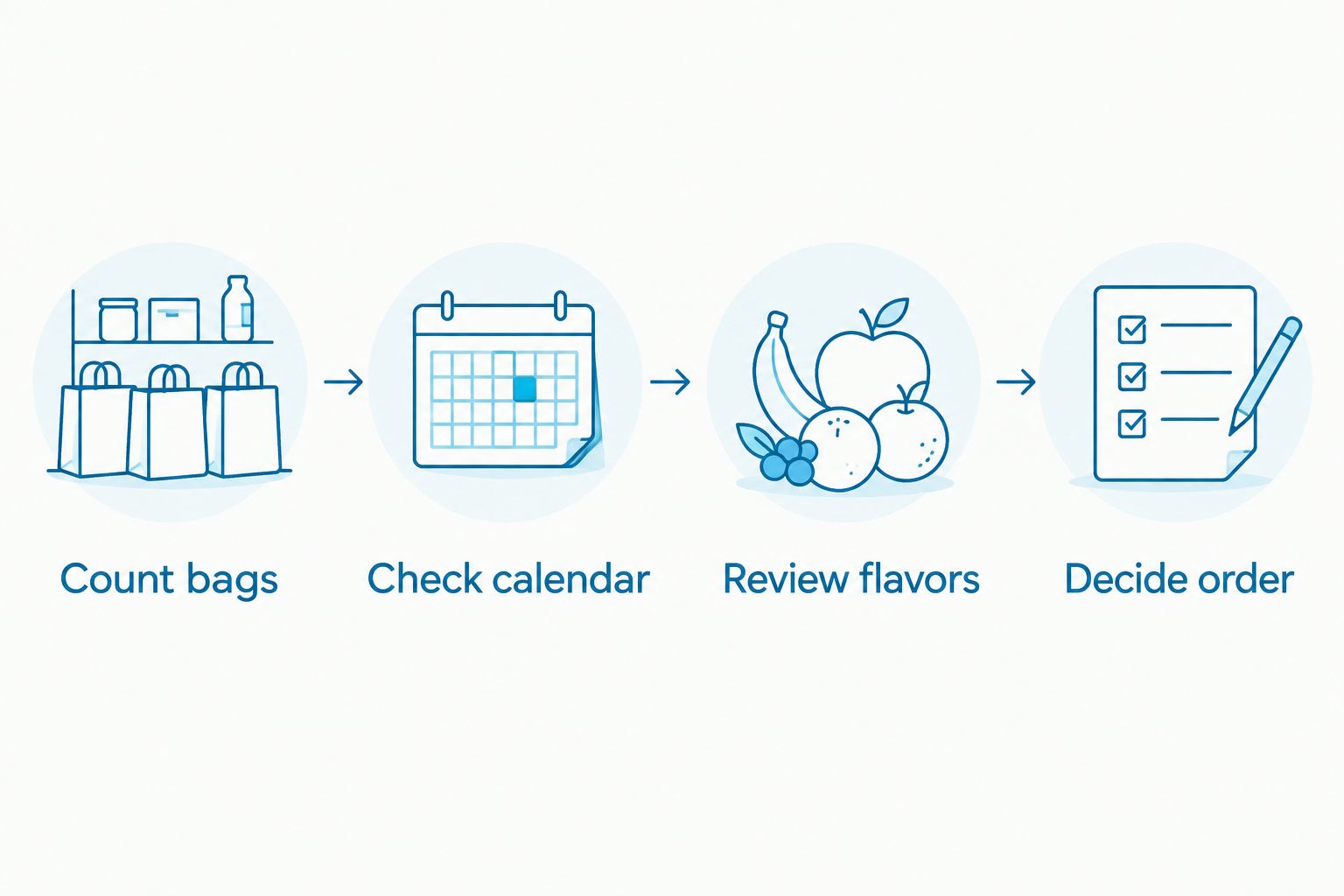
- In the reminder notes, add Count bags, Check calendar, Review flavors, and Decide order.
- At each review, compare the remaining bags with the school days you need to cover. Include planned home use instead of pretending the lunchbox shelf is the only source of demand.
- Check the seller’s current delivery estimate before placing an order. Set your next review early enough to account for that estimate; do not assume a fixed shipping time.
- Record the order date and contents after ordering. Check existing confirmations before buying again.
Expected result: Every reminder ends with an informed decision: order, wait, or change the mix.
The reminder is the useful automation here. It brings the decision back at the right moment without assuming your family needs the same box every time.
Add recurring delivery only after checking the terms
For a 2026 freeze dried fruit subscription decision, verify the details on the current seller’s site or with customer support. Do not infer account features from this pantry workflow.
Before enrolling in any recurring order, establish:
- Which exact product and pack format will repeat.
- Which delivery intervals the seller supports.
- How changes, skips, and cancellations work.
- When changes must be submitted for the next order.
- Where order confirmations and upcoming-order information appear.
Write those confirmed details in Fruit snack plan. Use the seller’s actual instructions for account changes, and keep the pantry review reminder even if deliveries become automatic.
The best recurring schedule follows your household’s use; your household should not have to eat through unwanted flavors to fit a schedule. If you cannot confirm the terms, keep using manual orders with calendar reminders.
Pantry reset
Put the incoming order into your packing routine
- Check the delivered contents against the order confirmation. Inspect packaging before putting bags into the school-snack space.
- Follow package storage directions. Keep unopened fruit crisps dry, and leave individual bags sealed until snack time.
- Place earlier-dated bags where you will reach them first. Use the dates printed on the packages rather than assigning a homemade shelf-life estimate.
- Separate familiar school flavors from flavors your family wants to try at home.
- Update Unopened bags and your next Review date. Keep the order confirmation until you have checked the contents.
Expected result: The new order becomes an organized snack supply, not another unopened box behind the cereal.
Use a shallow basket or a protected lunchbox compartment to reduce crushing. When packing alongside yogurt, cut fruit, or other moist foods, keep the fruit-crisp bag sealed and separate.
An ice pack needed for another food does not mean you should open the fruit crisps beside that food. Moisture changes their crisp texture; follow the package directions after opening.
Second workflow: update the plan when the school calendar changes
A recurring pantry check works best when you also respond to changes. School breaks, field trips, and a new after-school routine can all change what gets packed.
For the 2026 school calendar, add a second trigger: whenever you update family plans, review the snack plan too.
- Open Fruit snack plan when you add a school closure, outing, or activity change to the calendar.
- Recount the days when you expect to pack fruit crisps. Keep home snacks separate from school needs.
- Review any order already placed before adding another purchase.
- If a recurring order is active, use the seller’s confirmed process to request any necessary change before its stated deadline.
Expected result: Your pantry plan reflects the week you actually have, not the school week you originally expected.
This variant is especially useful before a break. Fewer school days do not automatically mean less household snacking, so check both parts of your routine.
Troubleshooting
The pantry is full, but the favorite flavor is gone
Fix: Count by flavor, not just total bags. A large remaining supply of less-liked flavors does not cover demand for a favorite. Use the next order to correct the mix, and reserve unfamiliar flavors for a relaxed home snack.
You ordered twice
Fix: Check confirmations before every purchase. Put pending orders in the shared note and agree on who places orders. A calendar reminder is not evidence that another family member has already ordered.
Fruit crisps lose their crunch
Fix: Keep the crisps sealed and away from moisture. Follow the package’s storage instructions after opening. Do not combine fruit crisps with moist foods in advance when you want a crisp texture at snack time.
The school will not accept the chosen snack
Fix: Check the specific school policy against the current package. “100% fruit” does not establish allergen suitability, and no snack is appropriate for every child. Ask the school to clarify unclear requirements before packing it again.
A recurring-order change does not appear in your records
Fix: Verify the change through the seller’s stated process. Check for confirmation, and contact support if the status remains unclear. Editing your personal calendar does not change a retailer’s order.
Customize your workflow
Keep one shared record if several adults pack lunches. A small update such as “pear returned unopened” helps the next person pack something different without needing a conversation during the morning rush.
You can also assign separate pantry spaces for school, home, and outings. Keep the labels practical, and avoid opening bags just to make the shelf look organized.
For the rest of 2026, change only the parts of the system that are causing a problem. If bag counts stay useful but flavor notes go unread, simplify the flavor notes rather than abandoning the whole routine.
FAQ
How do I start a freeze dried fruit subscription routine?
Start by recording actual snack use and setting a recurring pantry-review reminder. Confirm the seller’s current recurring-order terms before enrolling in automatic deliveries.
Does Naturesturn offer a freeze dried fruit subscription?
Confirm subscription options directly with Naturesturn before planning around recurring deliveries. A product listing or one-time order does not establish a subscription or its account controls.
How often should I reorder freeze-dried fruit for school?
Base reordering on your remaining bags, planned school snacks, and the seller’s current delivery estimate. Review home use too, because after-school snacking draws from the same supply.
Are no-added-sugar fruit crisps sugar-free?
No. Fruit contains naturally occurring sugar, so no added sugar does not mean sugar-free. Read the current nutrition label for the specific product.
Is a variety pack better than buying a favorite flavor?
A variety pack is better for exploring flavors; a favorite flavor is more targeted when your child consistently chooses it. Check the mix before counting every bag toward school-snack needs.
Can I pack freeze-dried fruit without refrigeration?
Unopened freeze-dried fruit snacks can be packed without refrigeration when their package directions allow it. Keep the bag sealed and follow separate temperature-control requirements for other lunchbox foods.
Are 100% fruit snacks safe for every school classroom?
No snack is suitable for every child or classroom. Check current ingredient and allergen information against the school’s policy and your child’s individual needs before packing.
One last thing
An unopened bag coming home is useful feedback, not a reason to order more of it. Ask whether the flavor, texture, packaging, or snack timing was the problem before changing your next purchase.
For your 2026 pantry routine, aim for fruit snacks that get enjoyed—not simply a cupboard that looks full.